
Notes Plus is a handwriting note-taking iPad app that will revolutionize the way you take notes. The more you use Notes Plus, the more you realize that you will never take notes the same way again. Let us show you a demo video below:

Highly Regarded
Out of over 1.3 million apps on the Apple’s App Store, Notes Plus is selected as one of the top 100 greatest apps (Business Insider).

Best Loved
Nothing speaks best to product quality than its user testimonials from those who bought it with their hard-earned money and use it day-in-day-out. The user reviews below are collected from thousands of 5-star reviews on the Apple’s App Store. We thought they best highlight Notes Plus’ features and benefits.
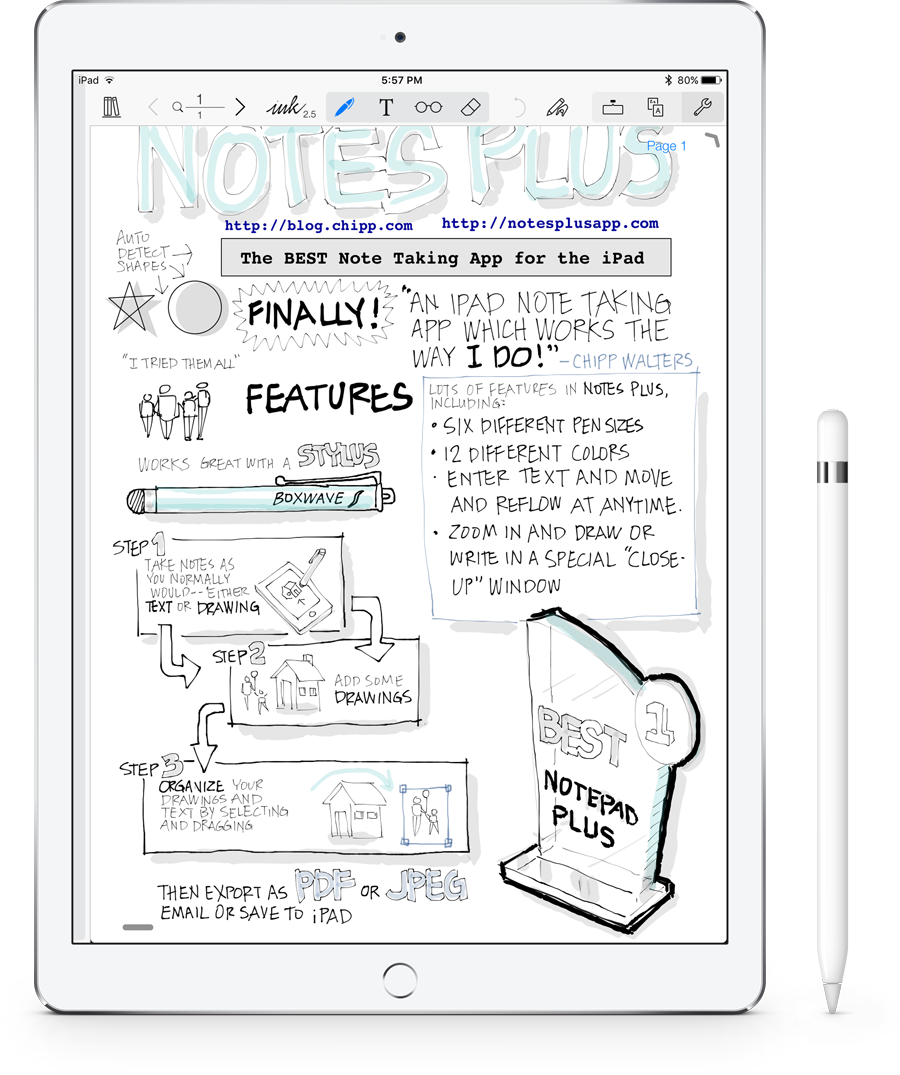
USE LESS PAPER
and be more organized.
Awesome ★★★★★
by Black_IceFa02
… I’m in so many meetings on a weekly that I tend to fill notebooks fast, not only has this reduced my number of trips to the supply closet, but not having to keep up with all those pads has improved my ability to stay organized and increased my productivity!
USE YOUR HANDWRITING
because it’s even more beautiful than on paper.
Handwriting deluxe! ★★★★★
by RFG01
… When it comes to smooth note taking in a meeting, Notes Plus is the hands down winner for speed and fluid writing.
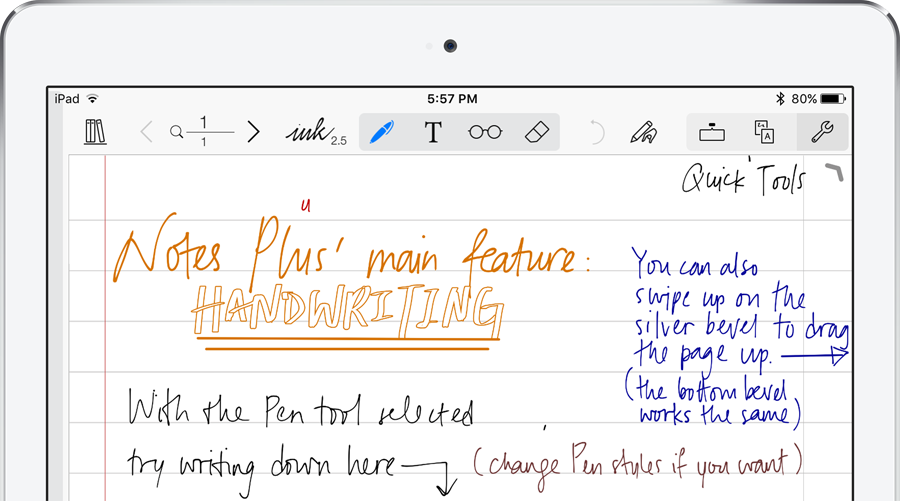
BE MORE VISUAL
with shapes and pictures.
Best note taking app ever ★★★★★
by Joe-Sue
I’ve tried many note-taking apps but none do not even come close to NotesPlus. I can type out my notes, write my notes, and even add snippets of content from the built-in web browser. It has a zoom feature to help you write with a stylus, the textbox feature lets you make textboxes and move them around the page, the shapes feature makes it easy to draw quick graphics within your notes. …
TYPE TEXT CONVENIENTLY
on the page or in movable textboxes.
New update is fantastic! ★★★★★
by SamtheDog15
… The expanded keyboard is awesome. It gives the user arrow keys to easily edit text, a feature that tablet users have lived without for too long. They’ve also given users a shortcut to add bullets, which makes the creation of multi-level lists simple…
RECORD AUDIO WHILE TAKING NOTES
and the audio will be automatically linked to your pages.
Best and most useful app in the whole AppStore ★★★★★
by Kabezones
I’ve been using this app for two years now for college and the simplicity of the app shows how complex and professional it is … I do not buy notebooks anymore, or pens, or pencils … I take my iPad, run NP, and, if I need to, I record the class and check if I missed something later at home …
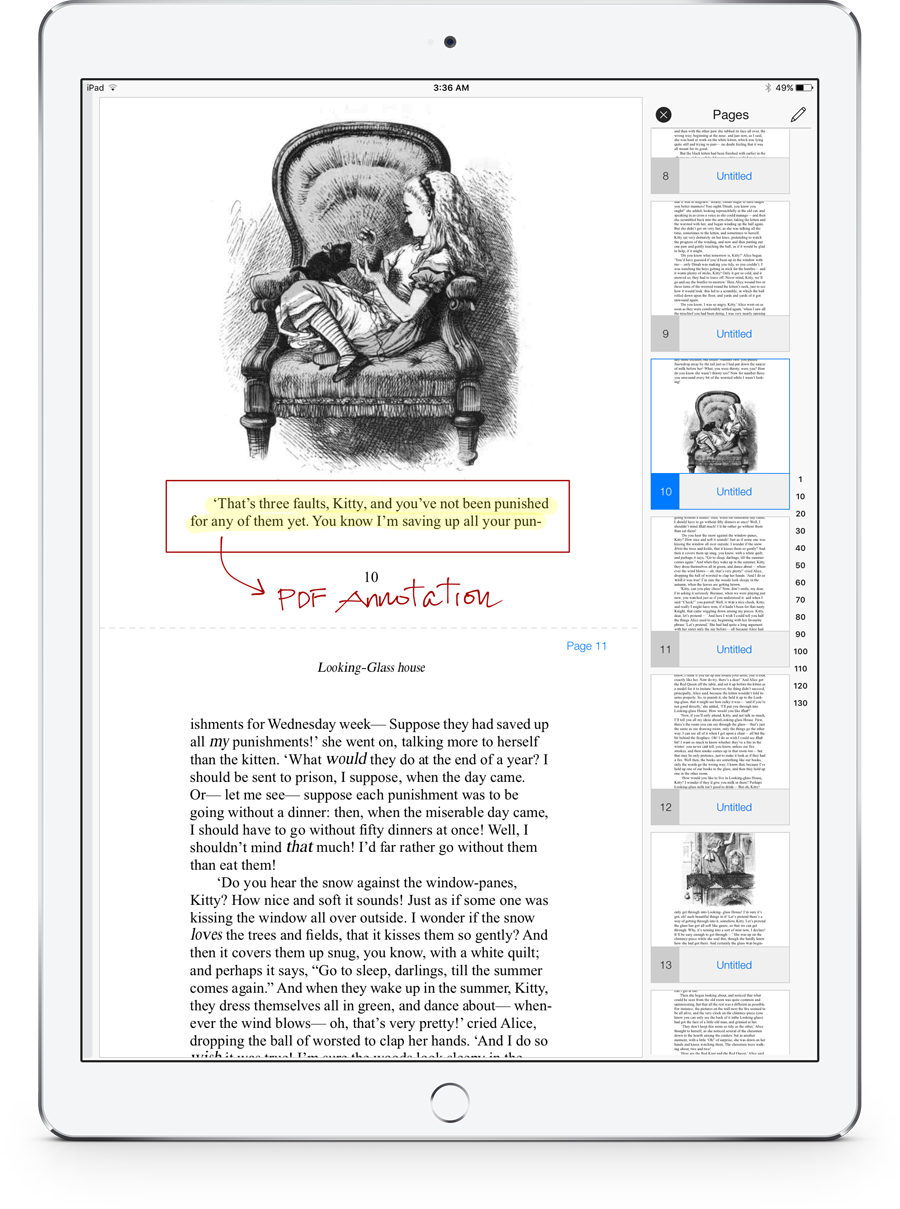
IMPORT (EXTERNAL) PDFS
and take notes on them.
Perfect for school ★★★★★
by Pianochic
I’m in grad school and we get a lot of PDFs to read. I put them in notes plus and highlight make notes etc. The write to text feature is awesome! (And I have really bad handwriting).
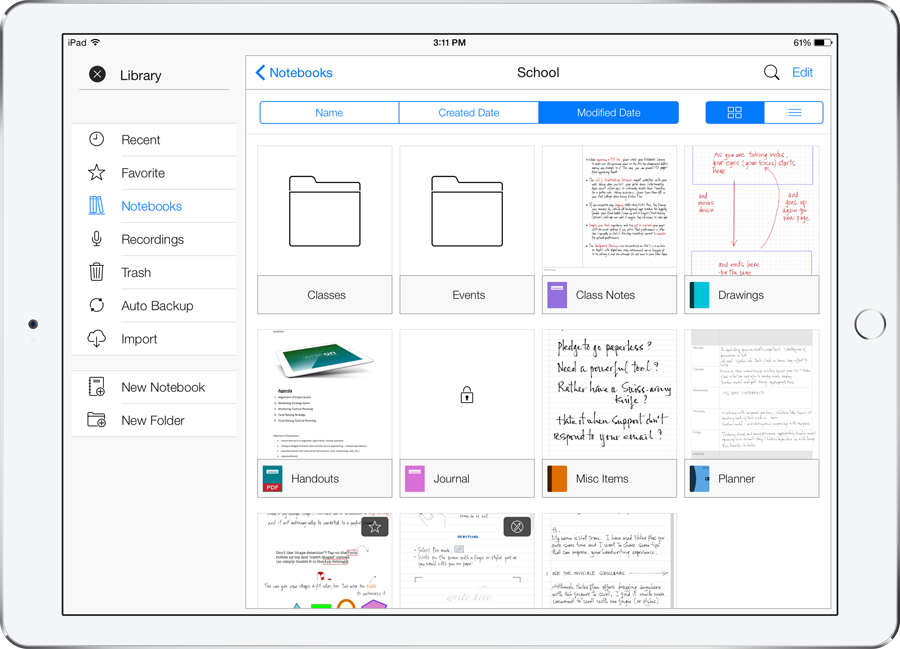
BE MORE ORGANIZED
with a powerful folder structure.
Wonderful App ★★★★★
by FlightHite
… It’s really nice to have folders and even folders within folders for serious organization …
COLLABORATE AND SHARE
with many import/export options.
Get this app! ★★★★★
by Lisa Mario
… I do all my class planning as a preschool teacher and can upload it to Dropbox so I can share my class plans with my assistant teachers so we are all on the same page. Being able to add my files to Dropbox — Awesome! My college professor even used this app and she tells me she can not live without it …
BE AT EASE
knowing that your notes are being backed up automatically.
Saved me big time!!!! ★★★★★
by Mcad52
… Last week I lost my iPad, and the single thing I missed the most was not having access to this App, I had to carry around a legal pad in my office for 2 weeks, and felt like I was back in the dark ages.
First thing I did upon receiving my new iPad … restored my notepads from Dropbox interface, took pictures of my legal pad notes for the last two weeks and returned to the 21st century. Presto, bango, I’m back in business in 30 minutes from opening the IPad box.
Thanks to Notes Plus Team.
– Serious road warrior Exec.