Version 3
Overview of features:
For more information about features, here’s a detailed review by Justin, a beta tester, complete with screenshots and examples. See also these frequently asked questions.
——–
Below are the improvements and features in version 3:
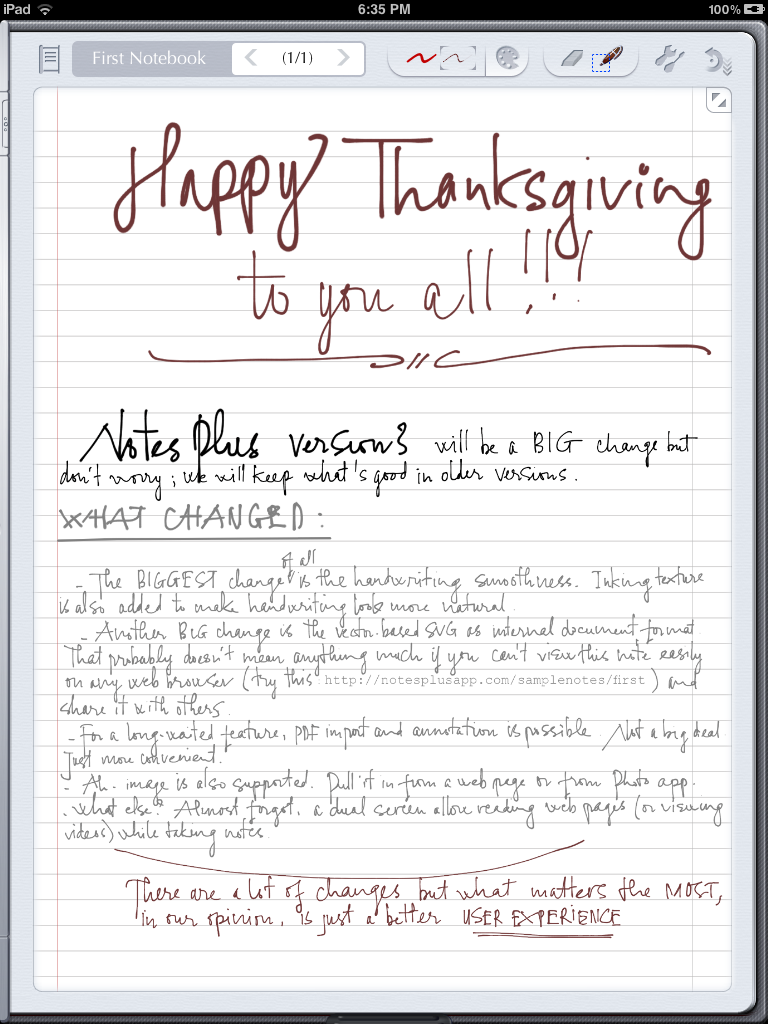
- Smoother handwriting. Better inking. Just a better handwriting experience overall. I put the below screenshots in hi-def so that you can see the inking:
- No more database! All flat files. Better yet, they are SVGs so you can view (and share) them in any web browser.
- Full Dropbox syncing. That is, at any time, the dedicated Dropbox folder for Notes Plus (currently predefined as Dropbox/NotesPlus/Sync) mirrors exactly the file contents of the app.
- PDF import (including an “Open in” option within other PDF apps) and annotation.
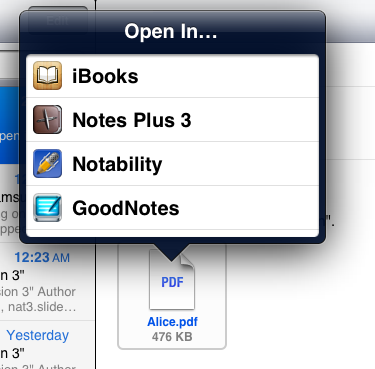
- Image support.
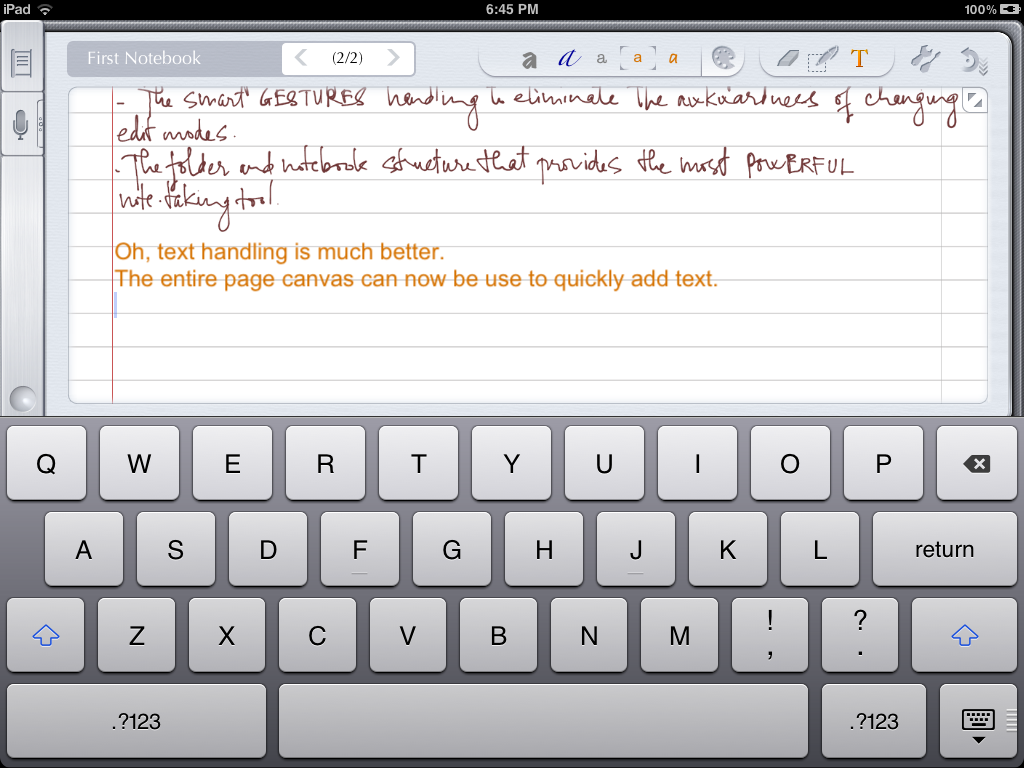
- Better typed text handling with full-page text canvas. Tap on text mode and start typing without worrying about textbox size or location (textboxes are still supported).
- Better close-up writing experience with more control and space, yet retaining the best feature of auto-advance in the current Notes Plus.
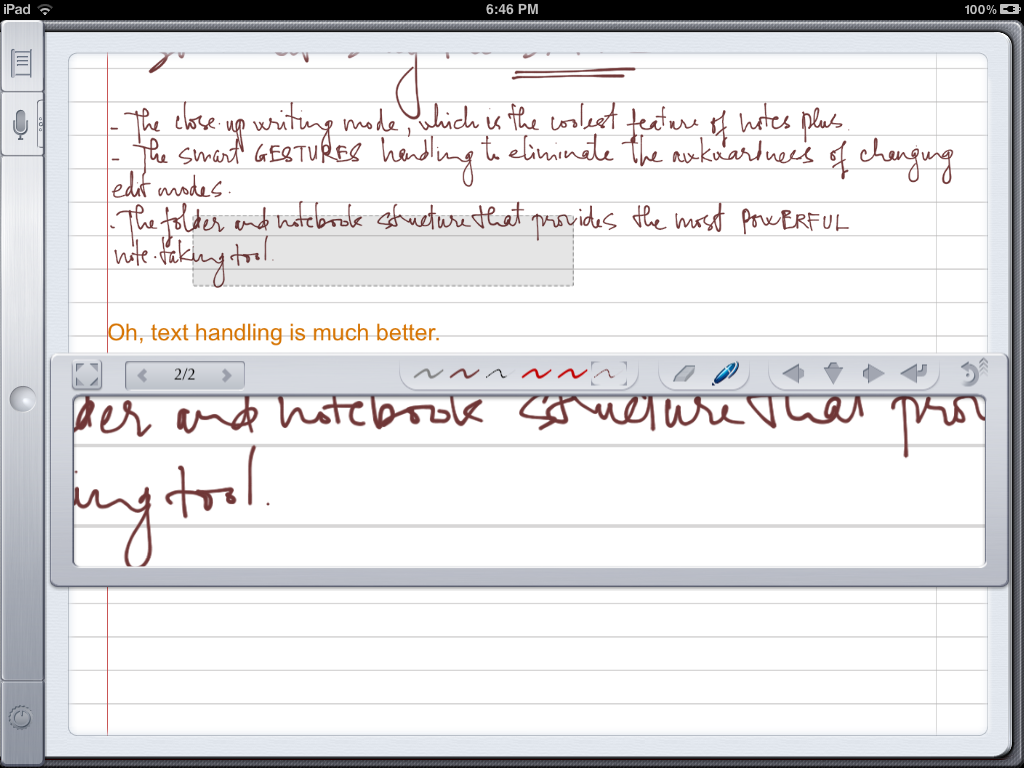
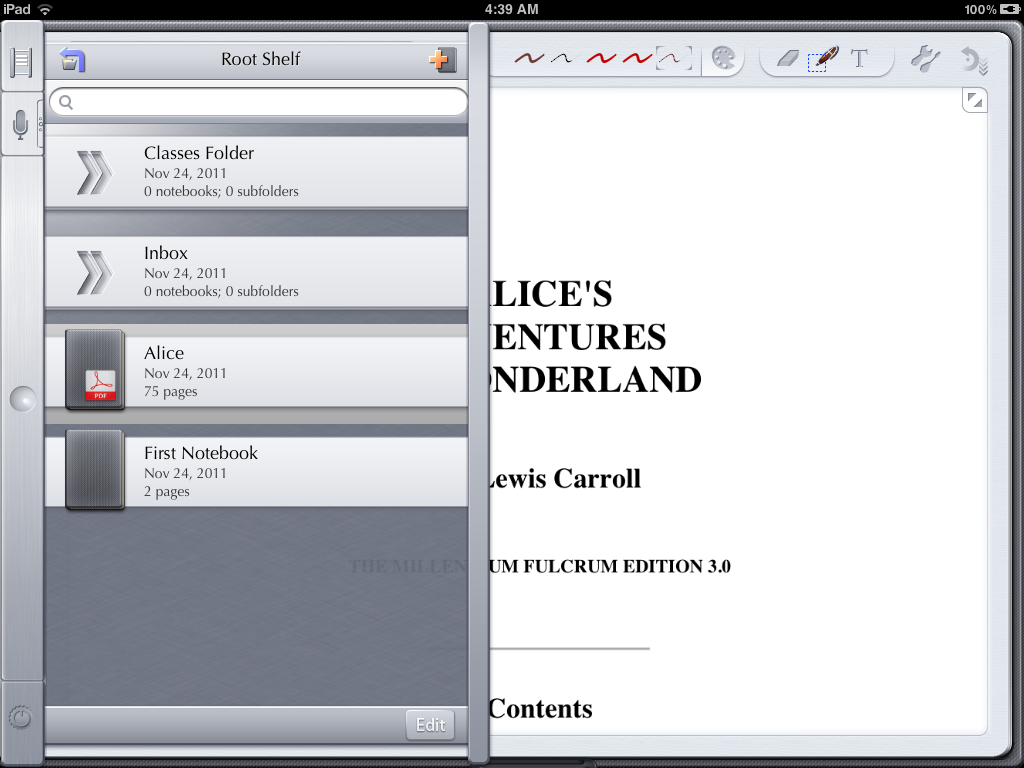
- We will have the side navigation popover like before, no shelf (I found this too disruptive).
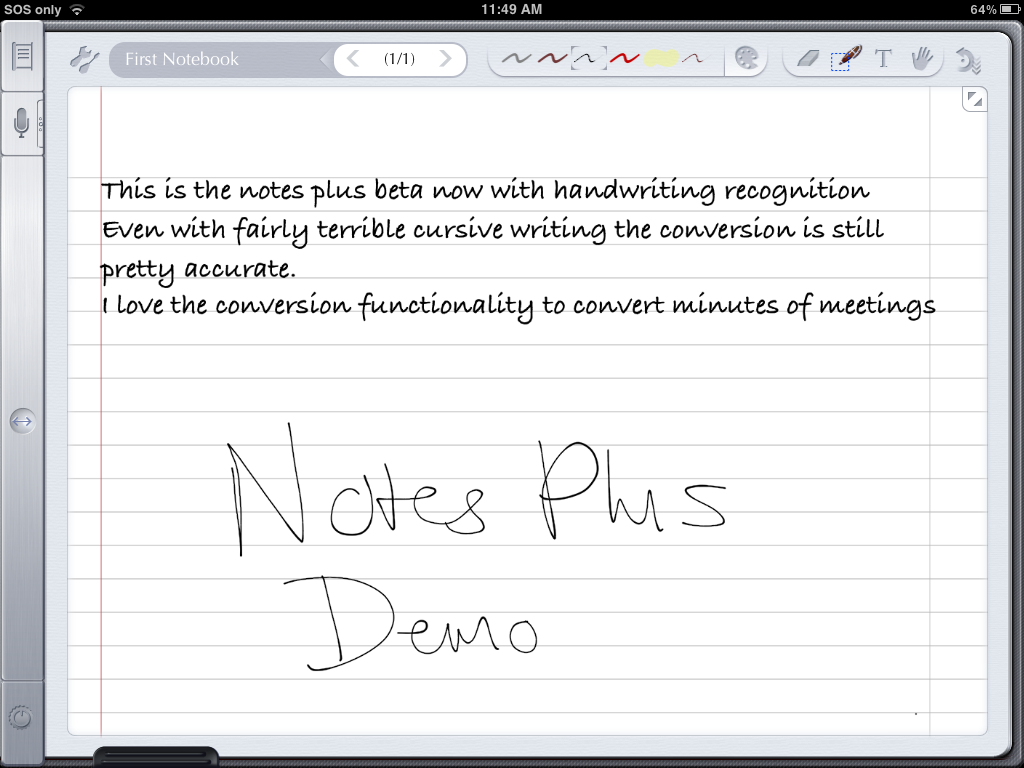
- Handwriting Recognition


May 17, 2012 @ 22:21:57
Hi
I really want Notes plus to have reminder/task function on notes. I use to draw a little box by actions and then crosss them off when they are finished.
Are you guys including this function in notes plus? Please please!
Angus
HR Inc Ltd
May 18, 2012 @ 02:03:05
Hi Angus,
We’ll have a basic to-do list in a future version. For now, you can try this workaround:
1. Find a to-do list PDF here: http://www.printabletodolist.com/
2. Import the PDF paper template as a one-page notebook
3. Make as many copies of the page as needed for your notebook
4. Annotate on these pages.
May 16, 2012 @ 16:51:48
New Jot it pen works great , wrth cost !
May 17, 2012 @ 04:00:40
Thanks, Pat, for the heartfelt review. FYI, if you want your comment to look like something other than spam, it wld help if you provided some meaningful information about the product.
May 15, 2012 @ 01:37:11
Update on 3.04 update?
May 15, 2012 @ 02:54:49
Hi John,
We’re submitting it this week (probably on Wednesday).
May 13, 2012 @ 22:41:59
Hi..i know its just minor but
what about the old brown leather gui?
Thanks
May 14, 2012 @ 03:46:03
Hi Emanuel,
We’ll have a revised UI in v3.1. I think we’ll have that theme. We’ll see.
May 13, 2012 @ 19:18:59
I just wanted to let you know that performance on the New iPad is improved on the new iOS 5.1.1
May 14, 2012 @ 03:25:25
Hi Will,
Many thanks for the notice.
May 13, 2012 @ 16:45:26
Cinsidering notability is is just 1 dollar n notes plus is 8 dollars, why wud I stick to notes plus?
I have been using notes plus for the past 3 months but I made a switch to notability. For the following reasons.
1. I can use bullets n numbering.
2. When I paste a large document from Wikipedia to notes plus, most of the text doesn’t appear on the page of notes plus.
I can’t edit it with ease. In notability the while document appears. The extra just overflows into the next page.
3. Vertical scrolling makes life so much easier.
4. Notebook is not very well organized in notes plus. Compare it with notability to know what I mean.
Suppose one note on some topic sprawls over 5 pages. I rename the first page.
But what about the page 2 to 5.
All the five pages should come under a single heading called xyz. Nt page 1 page 2 etc.p
5. Reading PDF . Good reader does that job really very well.
May 14, 2012 @ 02:57:05
Hi Piyush,
Thanks for the candid feedback. All the points you mentioned are totally valid and we’ll try to address these issues in future updates. Sorry about any inconvenience you might have.
May 11, 2012 @ 21:39:50
On retina screen performance in writing sketching is poor. Some optimisations planned to utilise new graphics chip ?
May 12, 2012 @ 03:57:52
Hi Stoodi,
We’re aware of the problem. v3.0.4 will have updated graphics for the new Retina display and we’ll optimize performance on the new iPad in later updates.
May 11, 2012 @ 12:43:46
Would be nice to have a button to turn auto-advance on/off directly at the close-up box..
Thanks,
Chris
May 11, 2012 @ 15:34:25
Hi Chris,
We’ll certainly have that.
May 11, 2012 @ 18:27:42
Nice!!
Coming with 3.0.4?
May 12, 2012 @ 03:53:58
Hi Chris,
Unfortunately it won’t be in v3.0.4. v3.1 will have a revised UI so the feature is likely in v3.1 (due in 2-4 months).
May 14, 2012 @ 13:27:13
Okay, thanks! Has v3.0.4 already been sent to apple? And one more thing: two-finger tap for opening the close-up box (instead of a text field) would be very nice.. currently, having a delay every time I want to write something is somehow annoying :-/..
Chris
May 14, 2012 @ 16:19:22
Hi Chris,
It’s going to Apple this week
. We’ll have a separate button for closeup mode so you won’t have to wait. I agree it’s annoying.
May 11, 2012 @ 02:21:53
Three cheers for Viet and team! And one more cheer for a background thread that recognizes the handwriting in all my “old” notebooks (without converting my writing into text onscreen) so that the entire collection becomes searchable over time.
Keep up the great work.
May 11, 2012 @ 08:26:22
Hi John,
Thanks. We’ll try our best to have such a background thread
.
May 10, 2012 @ 15:10:08
Does NP now or in the future plan to or already support the Aiptek pen similar tech to byzero/ipen
Regards Rich
May 11, 2012 @ 01:51:44
Hi Richard,
We haven’t heard of the Aiptek pen but if it uses the same technology as Byzero/iPen then support for it should be straightforward. Please stay tuned.
May 10, 2012 @ 00:53:41
Math recognition:
Guys check this: http://webdemo.visionobjects.com/equation.html?locale=default/
I think it might be a good implementation for version 3.1 or 3.2.
If you are able to integrate this in the iPad, and are able to make it work with wolfram alpha.. I think that it would be a killer feature. (For the student).
I would pay for this like for the handwriting recognition feature.
PLEASE CHECK IT.
Thanks.
May 10, 2012 @ 05:29:55
Yes!! I want!!
May 10, 2012 @ 06:37:37
Hi Miguel,
We’re aware of that feature and in fact, we’ll implement it in a future update! Stay tuned.
May 10, 2012 @ 07:34:22
It is nice to add this feature. I run a test but found that the text recognition is not perfected yet specially writing in fraction. Anyone tested too and like to share?
By the way, Toan, will it be another in-app purchase?
Regards . Gary
May 10, 2012 @ 09:24:43
Hi Gary,
I doubt that, considering equation recognition is part of the MyScript engine. So if you’ve already bought the HWR module, then equation recognition will likely be free too. We’ll let you know officially on our site when we implement the feature.
Kind regards,
Toan
May 11, 2012 @ 02:25:29
Gary, Toan,
Some of expanded features available for MyScript are optional modules. So some modules may have extra fees for inclusion in Note Plus. It all depends on individual modules.
I’m sure that we read more details when these modules are considered for inclusion in NP.
I believe that Viet has lots of ideas on how to expand NP with exciting features that MyScript modules make available.
Philip ( exciting times ahead…. Wheeeeeeee
)
May 10, 2012 @ 10:29:26
Nice!!
Thanks for your reply Toan.
May 16, 2012 @ 03:25:21
Handwriting recognition together with translation to Latex source would certainly be a feature that would appeal a large number of mathematicians, physicists and other heavy Latex users. Currently there is no Latex compiler for IPad (and doesn’t make much sense to have one). If you implement an “on the fly” compiler via a “cloud” service, Notes plus would sell like pancakes within the Ipad friendly scientific community. We would love to handwrite our papers, lecture notes etc and have the choice to obtain a Latex source output for later publication/distribution.
May 16, 2012 @ 15:30:27
Hi Ricardo,
That’s also a nice idea. If you look at the demo here: http://webdemo.visionobjects.com/equation.html?locale=default you’ll see there’s a Latext output. So hopefully we’ll find it or something similar in the MyScript SDK.
May 09, 2012 @ 21:33:54
Hey there!
Is there a chance of a new update with better iPad 3 Performance in the near future?
May 10, 2012 @ 06:19:33
Hi Philip,
Yes, there is. v3.0.4 will have improved performance on the new iPad. Subsequent updates will have even more enhancements.
May 09, 2012 @ 19:35:22
I wanted to change the name of a notebook using the textfield next to the pages field and suddenly got access to the root folder (http://pictureshoster.com/viewer.php?file=ihynury9qedlt2s88o.png) – WTF?!
May 09, 2012 @ 19:40:58
Chris,
That does seem .. strange and wrong! Thanks for reporting this.
Can you reproduce the steps you took to cause this to happen? Without a way to reproduce the problem, the Devs will have a hard time resolving this “dangerous” problem.
Philip ( Ok, that was … very strange!
)
May 11, 2012 @ 12:48:25
Sorry, can’t reproduce it.. as I said, I simply was going to change the name of the notebook..
May 09, 2012 @ 08:04:45
Feature Suggestion:
I can imagine it might be quite a big thing, but I will suggest it anyways…
During classes you take notes or annotate pdfs and record audio.
Sometimes the prof/teacher/boss jumps pages forward and backward e.g. during recaps or summaries. Listening to the recording won’t tell you which page you were on or what you were writing at that moment.
So my suggestion would be to be able to see what page you were on at a specific point in time during the recording.
Of course, you could extend the feature… watching the ipad as it “replays”
- fliping through the pages
- taking notes
Almost like a screen recorder…
I guess that would be another thing, that would set NP apart from other notetaking apps.
May 09, 2012 @ 16:11:52
Hi Sebastian,
Thanks for the fine idea. We’ll see what we can do about this!
May 10, 2012 @ 15:47:03
I echo the suggestion/need for syncing audio with notes pages. At a minimum, it would be nice to have a time index so you can pinpoint exactly where in a recording a specific comment, topic, point, etc. was made so you can jump to that section of the recording. I think this capability was in an older version but was removed in the later version(s).
May 11, 2012 @ 01:54:53
Hi Lat42,
Actually the audio is already synced to each page where it was made. To access a recording on the page, swipe right at the Mic icon. But you’re right that we removed the spinning time in v3.0. We’ll bring it back in a future update.
May 08, 2012 @ 14:15:04
Hi,
Just wanted to so keep up the good work
Also, it would be great if with 3.0.4 you paid the extra for express clearance. As waiting for 3.0.3 to clear almost killed me last time. I brought 3.0.2 and 3.0.3 was submitted the next day, so I thought I would wait for the update before I started using Notes Plus man did is seem like a long time
Ben.
May 08, 2012 @ 14:50:36
Hi Ben,
We’re submitting v3.0.4 this weekend. We just need to be careful as haste might actually introduce more bugs. Thanks for your continued support. We’ll try our best.
May 07, 2012 @ 21:03:33
Any chance that you add sugarsync to your web storage options?
May 07, 2012 @ 23:55:10
Hi Patrick,
It’s our plan to add other backup solutions in the future to accommodate our user’s various needs. Just let us get Dropbox right first and cloud services like SugarSync should be straightforward to implement afterwards.
May 07, 2012 @ 05:07:36
I’m a bit confused. Was retina graphics planed for version 3.1 or the upcoming 3.0.4?
May 07, 2012 @ 05:39:52
Micheal,
I believe that (some) retina graphics will be included in 3.0.4.
I’m not sure if everything will will be updated, but some will, plus some New iPad (3) bug fixes. 3.0.4 should be an very exciting release for all. I can’t wait
Philip ( baby steps lead to … Giant advances!
)
May 06, 2012 @ 19:27:22
Is german handwriting-recognition planned for future releases?
Chris
May 06, 2012 @ 21:41:12
Chris,
German HWR is already supported. Notes Plus supports 20+ languages!!
For more details, select the SUPPORT tab above and look at “Frequency Asked Questions”.
Philip ( A Very HAPPY Notes Plus User and Community Menber.
)
May 06, 2012 @ 22:33:15
OMG thanks!!
May 06, 2012 @ 08:28:28
I know this is in the FAQ that you will be supporting these pens but can you give us a real time-frame of when you will be supporting the iPen or the Byzero pen?
Thank you
May 06, 2012 @ 08:52:09
Hi Gonzalo,
We plan to support the ByZero pen in v3.1 (which is probably due in 2-4 months). Since the iPen SDK is similar, support for it should be straightforward after v3.1.
May 07, 2012 @ 03:56:44
Hold on…a few weeks ago you said the (ByZero) Studio 1 pen would be supported in 3.0.4. Why did you promise that if it isn’t happening?
Not only am I very disappointed to read this but now I also wonder which of the other posts here are not to be trusted.
May 07, 2012 @ 04:29:18
Hi Becky,
Sorry about the delay but urgent things have cropped up, leaving us with no choice but to take care of them first, like the performance on the new iPad and the much-requested page-turning gestures. There are lots of priorities to be done concurrently like fixing bugs, improving performance, revising the UI so we’re pretty much swamped. Rest assured support for the pen will come. It’s never a good idea to implement support for the pen while the app still isn’t stable. I hope you understand.
May 07, 2012 @ 06:46:51
Becky, and others,
Many NP users are waiting for ByZero/iPen/etc support. I have an Adonit stylus that I have been waiting for improved support within Notes Plus, and W a i t I n g.
I understand your impatience but I’m sure the NP Devs are working as hard as possible to implement the many requested features AND Bug fixes.
- I don’t think the Devs tried to mislead NP Users.
- I think they were “delayed” by iPad display problems – through no fault of theirs, this time.
- I think that it would be a good idea to take NP feature estimate posts as just that – ESTIMATES. ( ref. SWAG – Scientific Wild Ass Guess )
- The Beta Testers are making sure that the NP Dev team is NOT ignoring problems found with NP, OR promised feature upgrades.
I believe that the “extra” screen flicker problems caused by Apple’s problems with New iPad (3) retinal displays have caused extra delays with NP updates. The NP Devs had to change priorities to work on resolving this problem as soon as possible.
NP 3.0.4 includes many GREAT improvements, feature updates, problem fixes, new templates, and much more. I truly believe that ByZero support would have been included, if there had not been unforeseen iPad 3 problems.
Plus, Viet has let us know that he has plans for major User Interface upgrades for Version 3.1. These major updates are due to NP Users requests for basic improvements, clean up previous design choices, and to make NP easier to use.
We have a Guess for this release, but like ALL Guesses, that date may be later then first estimated.
Philip ( I’m glad that “I” never make estimate errors. Oh wait
)